At a glance
- Match the medication form
- Check dates and units
- Correct saved entries
Choose the matching medication option
GlowBack has separate Wegovy injection and Wegovy Pill options. They represent different record types: injection records include an injection site and optional pain score, while pill records use a different form. Check the full selected name before saving, especially if a previous entry prefilled the form.
This page focuses on keeping injection records. Availability of a medication option in the app does not establish that a product is available or appropriate in your location. Use the product details and instructions provided to you.
Build a clear injection entry
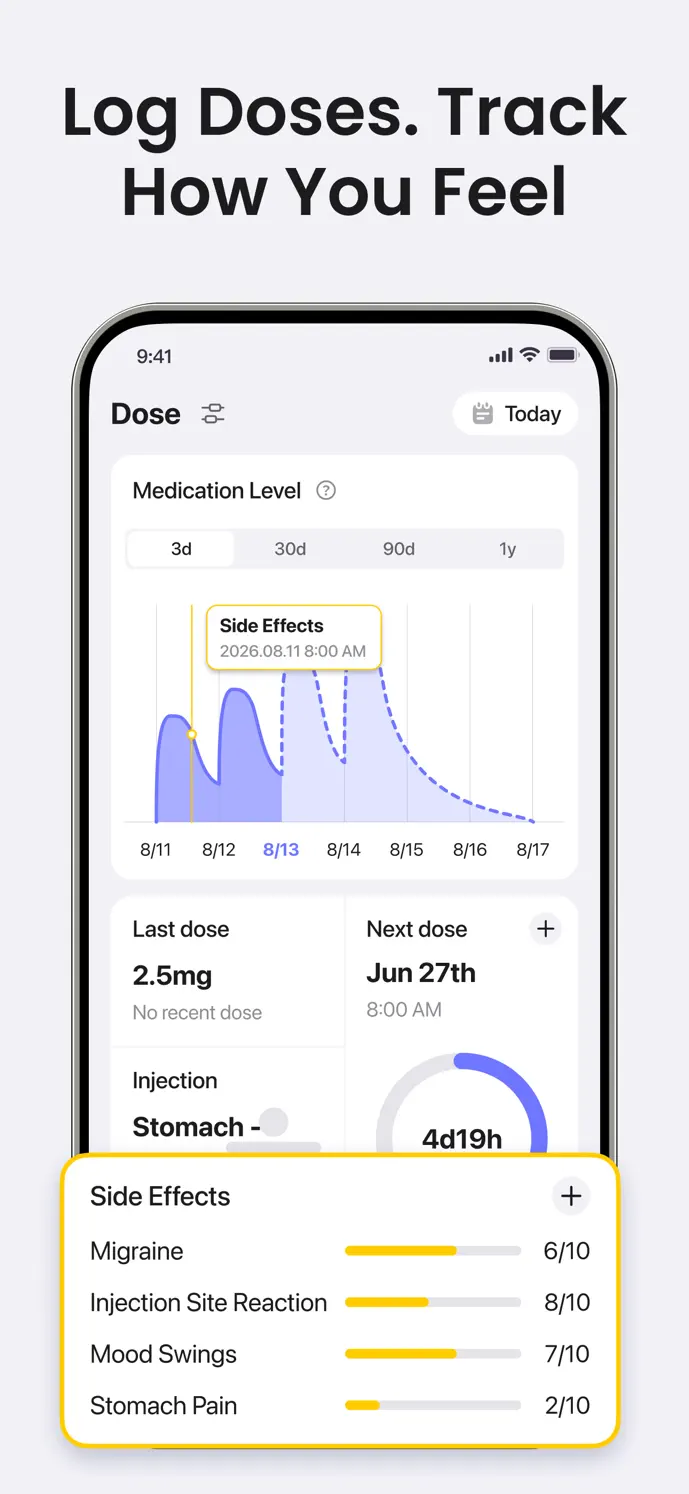
Open the dose logging entry and create a record or open the relevant scheduled entry.
Check that the selected medication matches your Wegovy product and form.
Enter the amount and unit you actually took, then confirm the actual date and time.
For an injection, choose the site and add an optional pain score or note.
Save, then check the entry in your history rather than assuming the prefilled details were correct.
Correct mistakes at the original entry
If you chose the wrong date, amount, or medication, open the saved entry and correct the details. Adding another record to explain the mistake can leave two entries describing one event. Check your history after the correction.
For example, a note saying “entered today, taken yesterday” is less useful than setting the actual date correctly and keeping the note for additional context. Historical entries should reflect what happened, rather than the day you opened the app.
Review related records without treating them as a prediction
Record symptoms and weight separately with their own dates. Together, these entries give you more concrete details to review before a conversation with your healthcare professional. A change in a symptom score or weight does not establish a cause.
The injectable medication-level chart is a mathematical estimate based on recorded doses. Do not assume that its interpretation applies to Wegovy Pill or that it measures a blood concentration. Correcting a dose entry can also change the curve.
Check what your current version includes
GlowBack is available for iOS and Android. Medication options, screens, recording limits, and advanced features can depend on the version, platform, and plan. Check the app for current membership details before relying on a particular feature.
A little more clarity
Common questions
Does GlowBack distinguish Wegovy injections from Wegovy Pill?
Yes. They are separate medication options with different recording fields. Confirm the form you actually use before saving an entry.
Can I correct a Wegovy record later?
You can open an existing dose entry and edit its details. Check the saved medication, date, time, amount, and unit again after making a correction.
Does this tracker choose my dose?
No. GlowBack organizes the information you enter. Your prescribed dose, schedule, and treatment changes should come from your healthcare professional.