
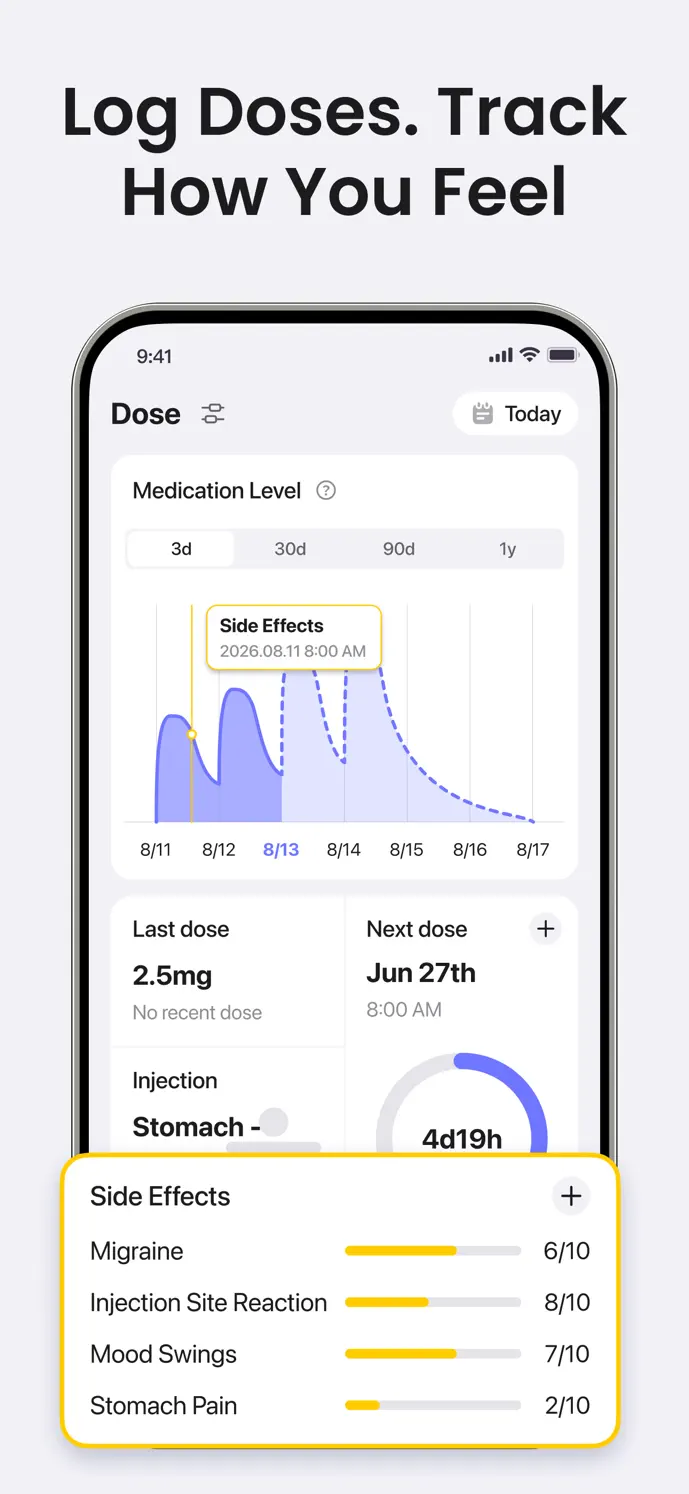
At a glance
- Date & time
- 0–10 severity scores
- Custom symptom options
Record an observation while it is fresh
A short entry made close to an event can be easier to review than a general recollection at the end of the week. Choose the symptoms you want to track, record their severity, and check the time before saving.
Use the same interpretation of the scale across your own entries. Your scores are personal observations, not a clinical assessment or a score to compare with someone else’s.
How to record a symptom entry
Open the side-effect logging entry from the app.
Set the date and time of the symptoms you are recording.
Choose the symptoms to show, or customize the list for the observations you want to keep.
Use each symptom’s 0–10 slider to record its severity.
Save and review the entry in your history. Correct the time or score if you entered it incorrectly.
Look at symptoms alongside your dose history
Having dose and symptom entries in one app makes it easier to describe when something happened relative to a recorded injection. For example, you can check whether an entry was made on the same day as a dose or several days later.
Timing alone does not establish a cause. A symptom marker near a medication-level curve does not prove that the medication caused the symptom or predict how you will feel next.
Bring a more specific history to a conversation
Exports require an eligible plan and available records. The app does not send your diary to a clinician automatically; review any file before choosing to share it.
- Review the dates you want to discuss before an appointment.
- Check that dose entries and symptom times reflect what happened.
- Describe changes in your own recorded scores without treating them as a diagnosis.
- If available on your plan, create a PDF or CSV export to share the recorded information.
Know what a symptom diary can do
GlowBack organizes the observations you enter. It does not diagnose a condition, decide whether a symptom is dangerous, or monitor your entries as an emergency service. Contact a healthcare professional about symptoms that concern you.
Available views, export access, and other features depend on your app version, platform, and plan. Use the in-app offer and settings to check what is available to you.
A little more clarity
Common questions
Can I track a symptom that is not in the default list?
The symptom settings let you customize the visible options and add custom entries. Choose wording you will recognize consistently when reviewing your history.
Does a higher score mean I should change my dose?
No. The score records how you felt. It does not calculate a treatment change. Discuss dose or treatment questions with your healthcare professional.
Can I use the diary without sharing it?
You can review your records in the app without exporting them. Account synchronization and feature-related processing are separate from sharing an export; see the privacy policy for data handling.