At a glance
- Dose, date & time
- Injection-site history
- Notes & reminders
Keep the details that are easy to forget
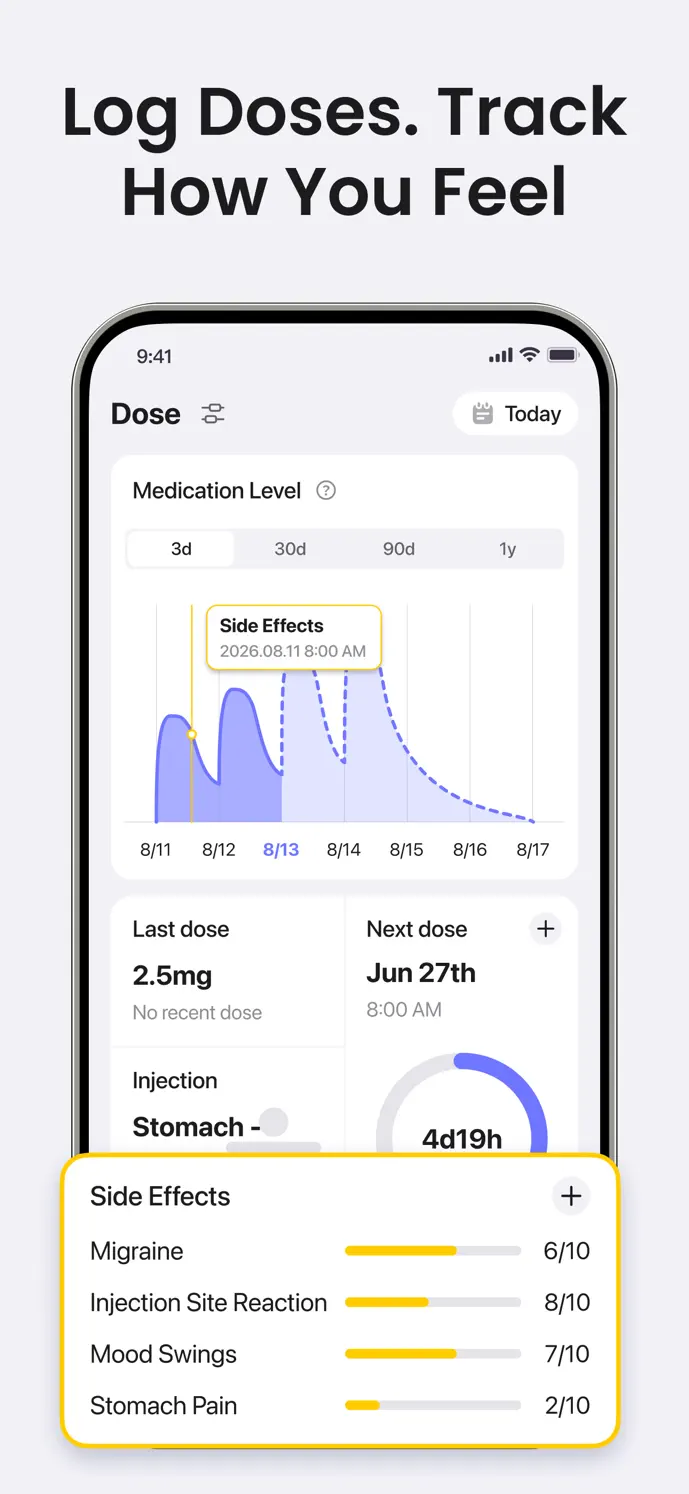
An injection log is most useful when it describes the dose you actually took. GlowBack keeps the amount, timing, and site in the same entry, so you do not need to reconstruct them from calendar notes.
| Detail | What you can record |
|---|---|
| Medication | The medication selected in your app |
| Dose | The amount and unit shown in the record form |
| Timing | The date and time of the dose |
| Injection site | The body location you used |
| Extra context | An optional pain score and notes |
How to log a GLP-1 injection
Open the shot logging entry in GlowBack.
Choose the medication and enter the amount and unit you actually took.
Check the date and time, especially when adding an earlier dose.
Select the injection site and add any notes or pain score you want to remember.
Save the entry, then check it in your dose history. Edit the entry if you notice a mistake.
Review your last injection site
Recording the site gives you a history to consult when you cannot remember where your last injection went. Keep the entry specific enough to recognize later, and use notes for context that the site selector does not capture.
The site history records your choices. Follow the instructions for your medication and device, and your healthcare professional’s guidance, when choosing an injection site.
Give your schedule and your records useful context
Medication reminders can help you remember the schedule you have set. Enable notifications and review the reminder settings on your device; delivery depends on permissions and operating-system behavior.
The medication-level chart uses recorded injectable doses to show a mathematical estimate over time. It is not a blood test or a recommendation for when to take another dose. Correcting or deleting a dose record can change the curve.
Check your plan and medication options
GlowBack also has pill logging for supported oral medications. The fields and visuals differ from injection logging, and the injectable medication-level curve should not be assumed to apply to pills.
The app is free to download. Free dose-recording limits and access to advanced views depend on your plan. Medication options, features, and screen labels may vary by app version and platform; check the current app for availability and pricing.
A little more clarity
Common questions
Can I add an injection I took earlier?
Yes. Set the actual date and time when creating the record. Check the saved dose and unit as well, because the timeline and estimates use those details.
Does GlowBack tell me which dose to take?
No. GlowBack records your routine and displays informational estimates. Your prescribed dose, schedule, and any changes should come from your qualified healthcare professional.
Is injection tracking unlimited on the free plan?
Free recording limits can apply. Review the current in-app offer for your account, platform, and version before relying on a particular limit or feature.