At a glance
- Dated injection records
- Personal symptom scores
- Details for your next discussion
Keep the event and the observation distinct
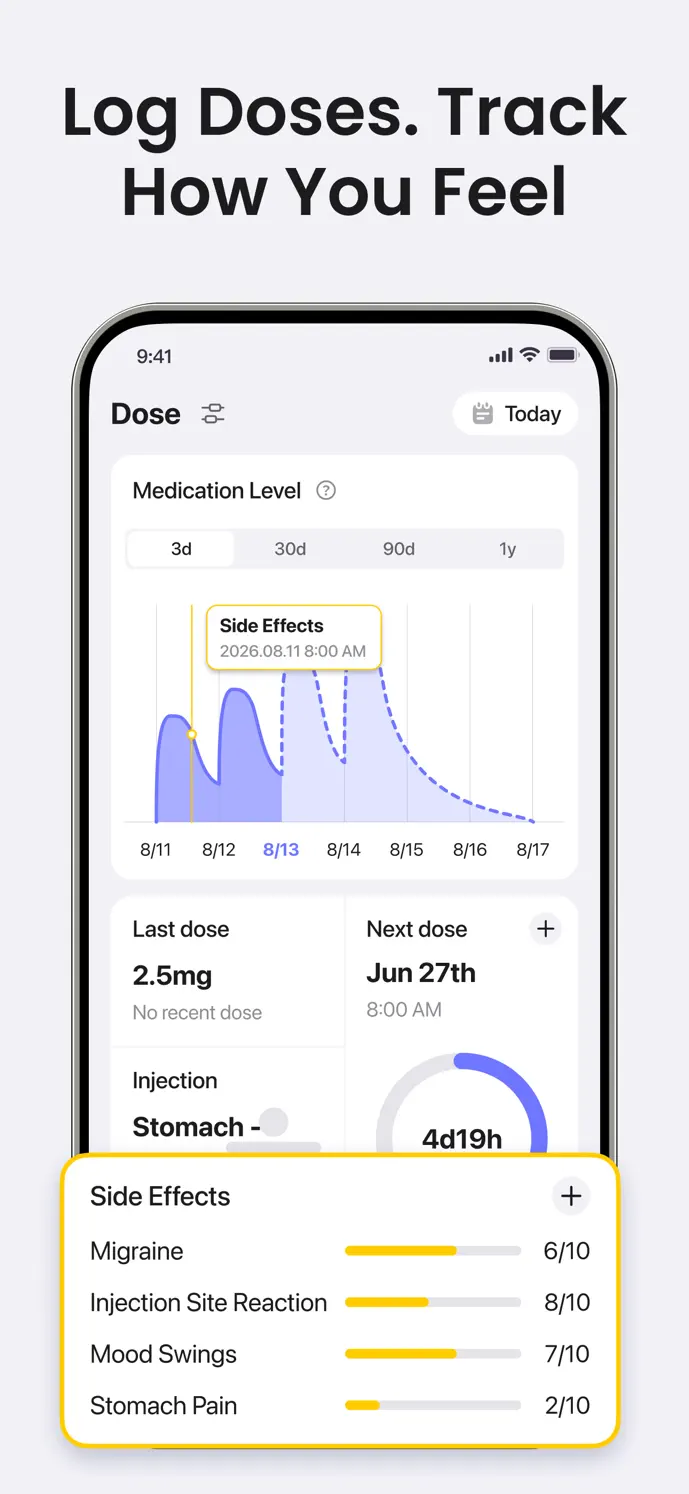
An injection entry records the medication, amount, timing, and site you enter. A symptom entry records how you felt at its own date and time. Keeping these details separate helps you describe an observation without forcing it into the injection day.
You can review the two histories together, but nearby entries do not prove a connection. Other circumstances may also matter, and the app cannot determine what caused a symptom.
Record a Mounjaro injection
Open the dose logging entry and confirm Mounjaro is selected.
Check the actual date and time instead of relying on a prefilled value.
Enter the amount and unit you took, then select the injection site.
Add an optional pain score or a short note for details you want to remember.
Save and review the entry. Correct the original entry if you notice an error.
Use symptom scores consistently for yourself
In the symptom logging entry, choose the date and time, select the observations you want to record, and use the 0–10 severity sliders. You can customize the visible symptom options and add custom entries when the default list does not describe your observation.
Use scores you will recognize later. A six is your own report, not a clinical measurement or a score to compare with someone else’s. Recording near the event reduces reliance on memory.
Turn your history into specific questions
Point to particular dated observations when describing a change. Your healthcare professional can consider that history in its broader context. GlowBack does not send records to a clinician automatically.
- Review the dates and observations you want to discuss.
- Check whether the dose, time, and symptom entries reflect what happened.
- Describe what changed in your own scores and when you noticed it.
- Note questions you want to ask, rather than interpreting a pattern as a diagnosis.
Know the limits of the diary
GlowBack is a record-keeping app. It does not diagnose symptoms, monitor entries for emergencies, or choose a dose or treatment change. The injectable medication-level curve is an informational estimate, rather than a prediction of how you will feel.
Free recording limits and membership access apply to some features. Check your current app version, platform, and in-app offer for availability.
A little more clarity
Common questions
Can I add a symptom that is not already listed?
The symptom settings support custom entries and a customized visible list. Choose a name you can use consistently when reviewing your own history.
Does a symptom beside a dose prove Mounjaro caused it?
No. The records show the timing you entered. Timing and scores alone cannot establish a cause or predict your next symptoms.
Can GlowBack tell me what to change when a score rises?
No. A score records an observation. Discuss concerning symptoms and treatment decisions with your healthcare professional.