
At a glance
- Actual events and dates
- Injection-site history
- Reminders with clear context
A reminder and a completed record serve different purposes
A reminder helps you remember the schedule you configured. It does not confirm that an injection happened. When you open a planned entry, check the actual date, time, and details before saving it as your record.
If you change a reminder, review the schedule shown in the app and your device notification settings. Notification delivery depends on permissions and operating-system behavior. A reminder should reflect the instructions you have been given; the app does not prescribe a schedule.
Keep the actual Zepbound event clear
Open the dose logging entry and confirm that Zepbound is selected.
Create a record or open the relevant planned entry, then check the actual date and time.
Enter the amount and unit you actually took.
Select the injection site and add any optional pain score or note.
Save and check your history. Confirm the record shows the actual event time.
Use site history to remember your own entries
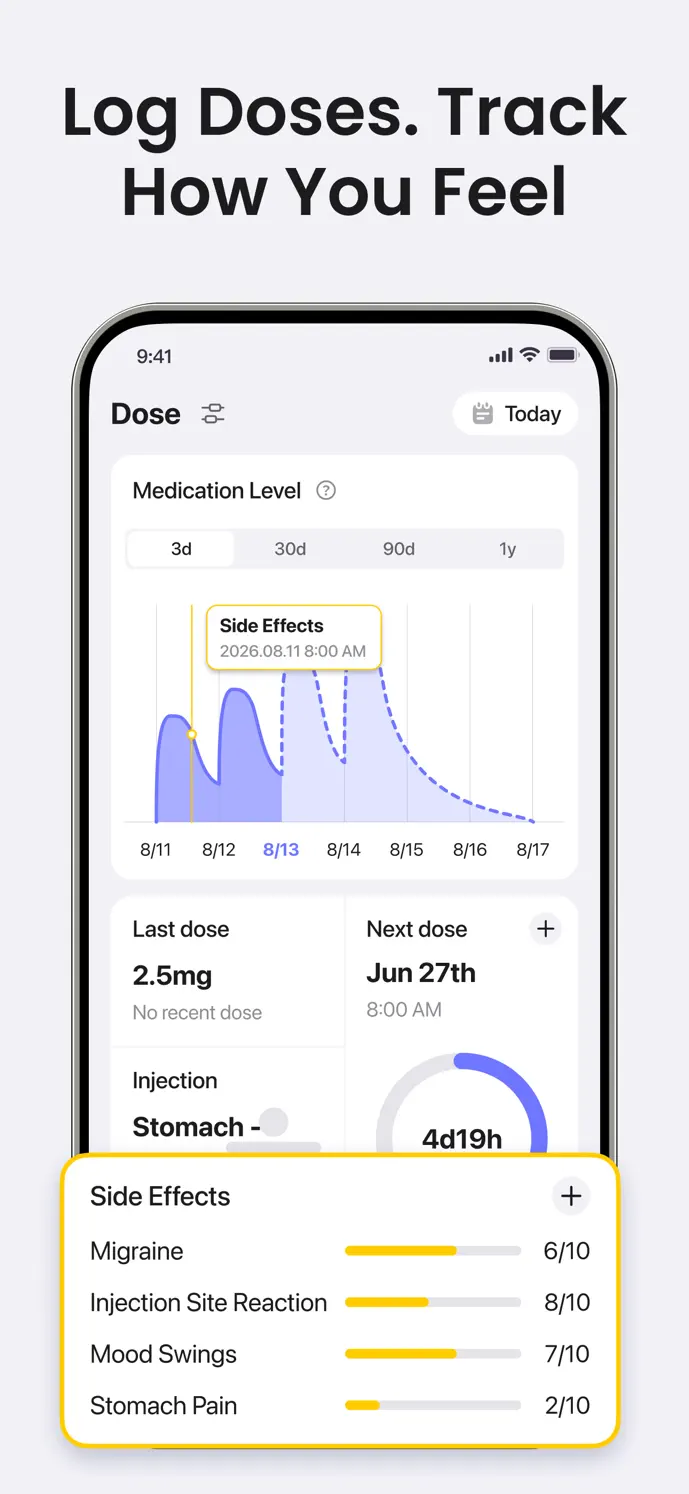
Recording the site can help when you cannot remember which location you logged previously. Review the original entry, including any note that explains a more specific location than the selector captures.
Site history describes your past choices. It does not examine your skin, verify an injection technique, or decide which site you should use next. Follow the instructions for your medication and device, together with your healthcare professional’s guidance.
Build a habit you can continue
Start with the medication, amount, time, and site. Keep optional notes brief. A manageable process can help you return to the log without completing every feature in one sitting.
If you forgot to record an event, add it with the actual date and time when you have reliable information. If an existing entry is wrong, correct that entry rather than adding a duplicate. Review symptoms and weight separately when you want more context.
Treat the chart as context for your records
The injectable medication-level estimate uses recorded doses and times. It is not a blood measurement or an instruction to take an additional dose. Editing the underlying entries can change the curve.
GlowBack is free to download. Dose-recording limits and membership features apply. Check the app for current details, which can differ by version and platform.
A little more clarity
Common questions
Does receiving a reminder mean an injection is recorded?
A notification is a prompt. Check and save the actual event details in your dose history rather than assuming the reminder confirms completion.
Will GlowBack choose my next injection site?
The history lets you review the sites you recorded. It does not decide your next site or replace medication and device instructions.
What should I do with a wrong or duplicate record?
Review the original entry and correct or remove the mistaken record as appropriate. Check the history afterward, because the estimates use the saved entries.