At a glance
- Check notification access
- Review scheduled times
- Keep a site history
Enter the schedule you have been given
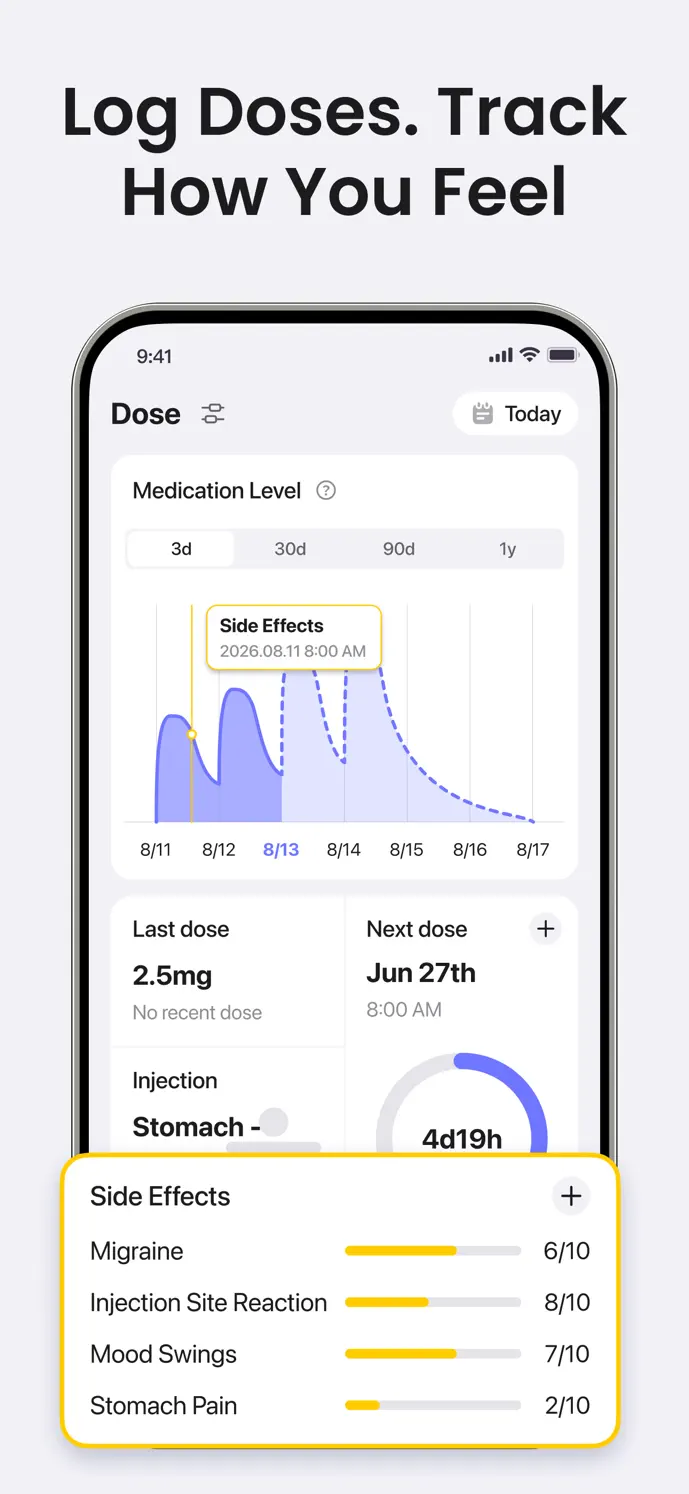
Start with the medication schedule agreed with your healthcare professional. Check the medication, recorded dose dates, and reminder settings in GlowBack. The app’s displayed next-dose information depends on your settings and records; it does not establish when a dose is medically appropriate.
Review your saved schedule and the date and time of your most recent injection record.
Enable the medication reminder available in your app version and check its scheduled time.
Allow GlowBack notifications in your device settings and review any notification-silencing settings.
Check reminders after changes or travel
Notification delivery can depend on operating-system permissions and background settings. If a reminder does not appear, reopen GlowBack and check those settings along with the reminder date and time. Feature availability can differ by app version, platform, and plan.
After changing time zones, inspect your device clock, the recorded injection time, and the next reminder shown in the app. Do not assume a displayed time answers how to adjust treatment while traveling; discuss that question with your healthcare professional.
Record the injection site you actually used
When logging an injection, select the site you used and add relevant notes. Check the saved date and time, particularly when backfilling an entry. This creates a history you can revisit without relying on memory.
Site history is a record of past entries. It does not automatically choose a suitable next site or replace the injection instructions for your medication. Follow the site-selection and rotation guidance you have received.
Keep uncertain events separate from confirmed records
A reminder arriving does not mean an injection was taken, and an absent log does not prove one was missed. Check your own records before editing an entry. For missed-dose, timing, or dose questions, consult your healthcare professional or the medication’s official instructions.
A little more clarity
Common questions
Will a reminder still appear if notifications are disabled?
Do not rely on it. Check GlowBack’s notification permission, the in-app reminder setting, and your device’s notification controls.
Does GlowBack recommend which injection site to use next?
The site log lets you review past entries. Use your medication instructions and professional guidance to choose a site.
Should I change my dose because the next-dose card looks wrong?
No. First check your recorded dates and schedule. Ask your healthcare professional about treatment decisions; contact support about an app display issue.