At a glance
- A practical first entry
- Optional reminders
- A routine you can maintain
1. Choose what you need to remember
If your question is usually “When was my last dose?”, start with medication records. If you want to discuss how you have felt, begin with symptoms. Food, water, weight, and photos can be added without making every feature part of your daily routine.
Install the app from the official store link and check the current platform requirements. Complete the setup with your own information, then review the units and medication selection before recording anything.
2. Make your first dose record
Recording a dose does not decide your treatment schedule. Follow the plan given by your healthcare professional. Pill and injection records have different fields and visuals.
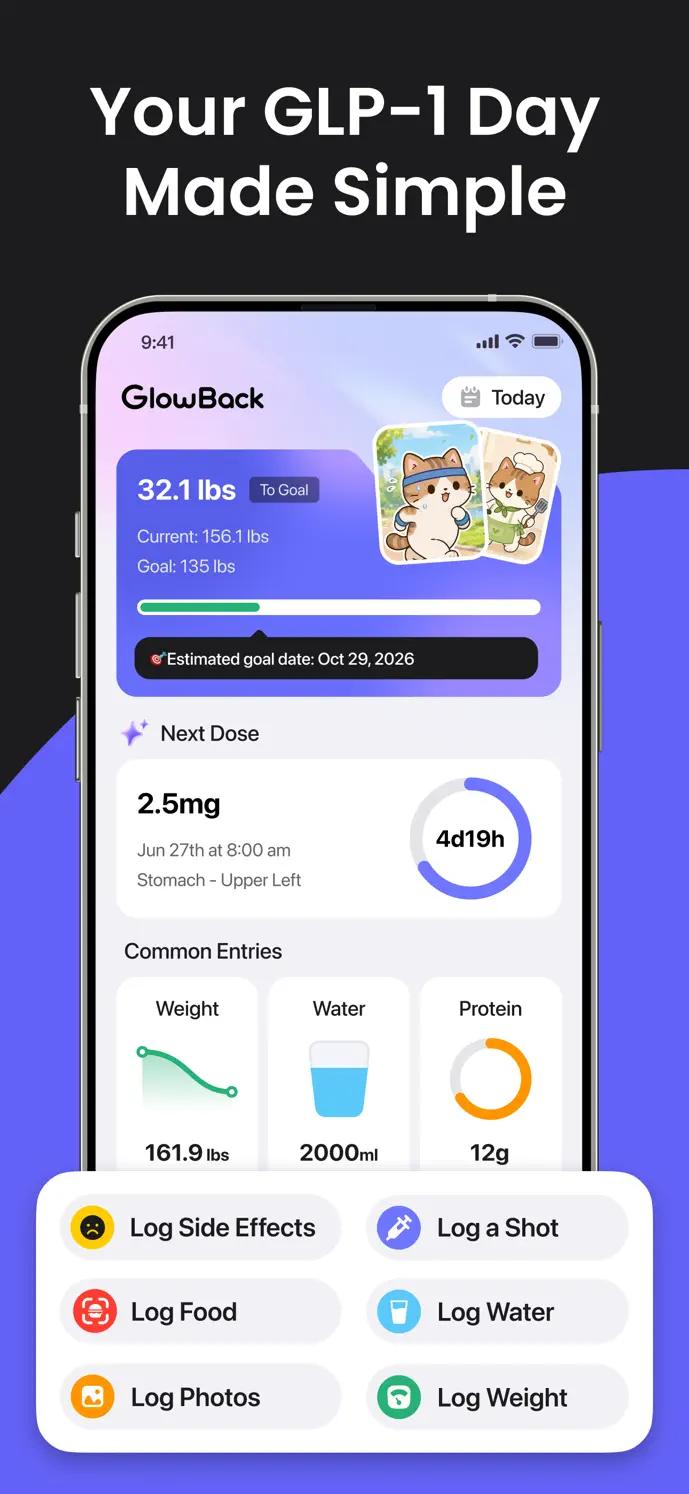
Open dose logging. Add a new entry or open the existing scheduled record for the dose you are recording.
Choose the medication and formulation that match what you actually took. Enter the amount and unit from your own record.
Check the actual date and time, especially when completing a planned entry or adding an earlier dose.
For an injection, add the site, optional pain score, and notes you want to remember. Pill records use different fields.
Save and reopen the entry to check the medication, amount, date, and completion state.
3. Add the context that matters to you
| You want to remember… | A useful next entry |
|---|---|
| How you felt | A dated symptom entry with your own severity score |
| What you ate | A meal with a checked portion and nutrition values |
| How much you drank | A water entry using your selected unit |
| Your weight history | A weight record with the measurement’s date |
| A visual record | An optional dated progress photo |
Your first week: a small, repeatable checklist
| When | A useful action | What to check |
|---|---|---|
| Before the first entry | Review the app’s medication selection, units, and notification permissions. | Use your own treatment instructions; setup does not prescribe a schedule. |
| When you take a dose | Complete the corresponding record with the actual date, time, amount, and site. | A reminder or planned entry does not prove a dose was taken. |
| When you notice a symptom | Add the observation, time, your severity score, and context. | A personal score records an observation; it does not identify a cause. |
| When useful during the week | Add meals, water, weight, or a progress photo. | Review recognized food values and use the measurement date for weight. |
| At the end of the week | Look for missing records, duplicates, or the wrong date or unit. | Only correct details you know; keep uncertain events in notes. |
4. Set up reminders and imports only if you need them
To use medication reminders, allow notifications and review the schedule already agreed with your healthcare professional. Check the next reminder after travel or a change in device time. On iOS, eligible plans can import supported records from Apple Health through the Health Data option in Profile; check source records and permissions first. Availability on other platforms depends on the released version.
Home-screen widgets can keep daily protein, fiber, and water totals visible. Health import, widgets, scanning, and other advanced features require an eligible plan. Network access, permissions, and device support also affect how those features work.
5. Review the records before drawing conclusions
Keep the routine manageable. The value of a log comes from useful, accurate entries, not from filling every field every day. Feature availability and recording limits can vary with your version, platform, and plan.
- Check for missing entries or accidental duplicates.
- Correct dates, doses, portions, or units that were entered incorrectly.
- Read the medication-level explanation before interpreting the chart.
- Review any PDF or CSV export before choosing to share it; export access depends on your plan and available records.
- Bring treatment and symptom questions to your healthcare professional rather than treating an app trend as a diagnosis.
Your first month: make the record easier to review
Once a week, spend a few minutes checking entries rather than trying to fill every possible field. At the end of the month, identify which record types helped you remember events or prepare questions. Keep those habits and simplify anything you do not use.
A first-month tracking checklist is a record-keeping plan, not a dose-escalation schedule or a target for weight loss. Bring questions about treatment, persistent symptoms, or unexpected changes to your healthcare professional.
- Compare the same units and check the dates behind a trend.
- Write down two or three questions with specific recorded dates.
- Check whether a reminder needs updating to match your prescribed plan.
- If your version offers export, review the generated file before sharing. Otherwise use the history and a short written summary.
A little more clarity
Common questions
Do I need to complete every kind of record daily?
No. Choose the records that help you organize your routine. If your clinician has asked you to monitor something specific, follow their instructions.
Will all features work without an internet connection?
No. Functions such as account synchronization, photo uploads, and food recognition require a connection. Check that important records and uploads have completed before relying on them on another device.
Where should I go when something does not look right?
First check the date, unit, and source record. The support page covers permissions, account synchronization, and paid features. For medical questions, contact your healthcare professional.