
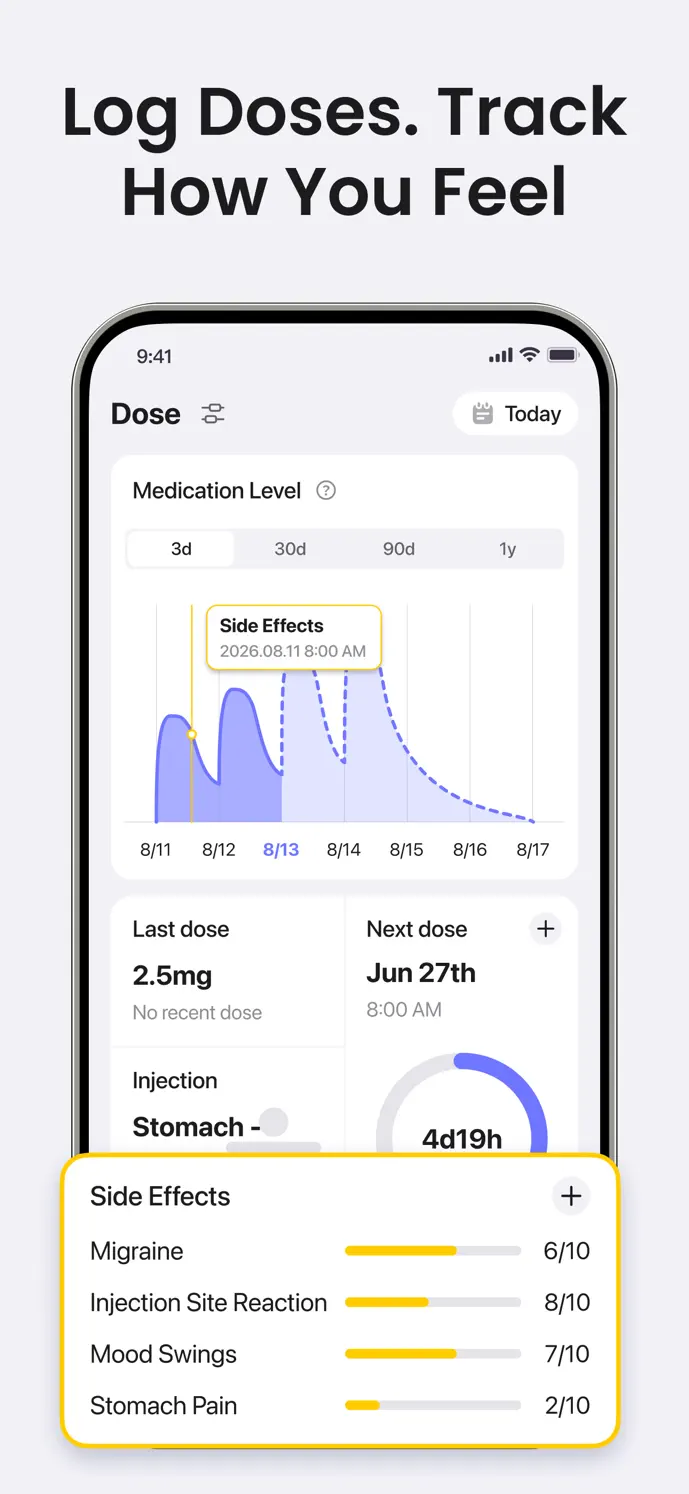
At a glance
- Add earlier records
- Check dates and times
- Review weight separately
Start with events you can identify
When adding an earlier injection, use its actual date and time rather than today’s default. Check your own notes or calendar, and avoid inventing details you cannot reliably recall.
A historical record is different from a future reminder. Recording an event says what happened; a reminder reflects a schedule you configured. Keep those purposes clear while rebuilding your history.
Add and verify an Ozempic record
Open the dose logging entry in GlowBack and choose Ozempic.
Set the actual date and time, including when adding a record from an earlier week.
Check the amount and unit against your own record of what you took.
Choose the injection site and add any useful pain score or note.
Save and reopen the entry if you need to check or correct its details.
Give dates and units an extra check
After travel or when entering several events, check the date on each saved record. Add a note if you need context about when or where the event happened.
The tracker cannot reconstruct a missing travel history or verify when an injection occurred. Avoid assuming that every version automatically resolves the way you intended to represent a time-zone change. Review the visible dates before using your history in a discussion.
Keep weight entries on their own timeline
Add weight with its own measurement date and check whether the displayed unit is kilograms or pounds. A weight measurement and an injection may be recorded on different days; there is no need to make their dates match.
Review a series of entries to understand what you recorded over time. GlowBack’s 30-day weight trend is available without unlocking longer trend ranges; longer ranges require membership. A trend describes your records and does not guarantee a future result.
Understand estimates and feature access
Medication-level estimates use the injection details you enter, so incorrect dates or amounts can affect the chart. The curve is not a blood test, a measure of effectiveness, or a decision about when another dose is needed.
The app is free to download, with free dose-recording limits and membership features. Screens and available options may vary by platform and version. Review current in-app details before choosing a plan.
A little more clarity
Common questions
Can I add Ozempic injections from before I installed GlowBack?
You can create earlier entries by setting their actual dates and times. Use information you can reliably identify, then check the saved history for mistakes.
Will correcting a date change the medication-level chart?
It can. The estimate uses recorded doses and times, so editing or deleting an entry may change the displayed curve.
Does a weight change prove that a dose caused it?
No. Weight and injection records provide context for review. Their timing alone does not establish why a change occurred.